Kanban WIP Limits: What They Are and How to Set Them

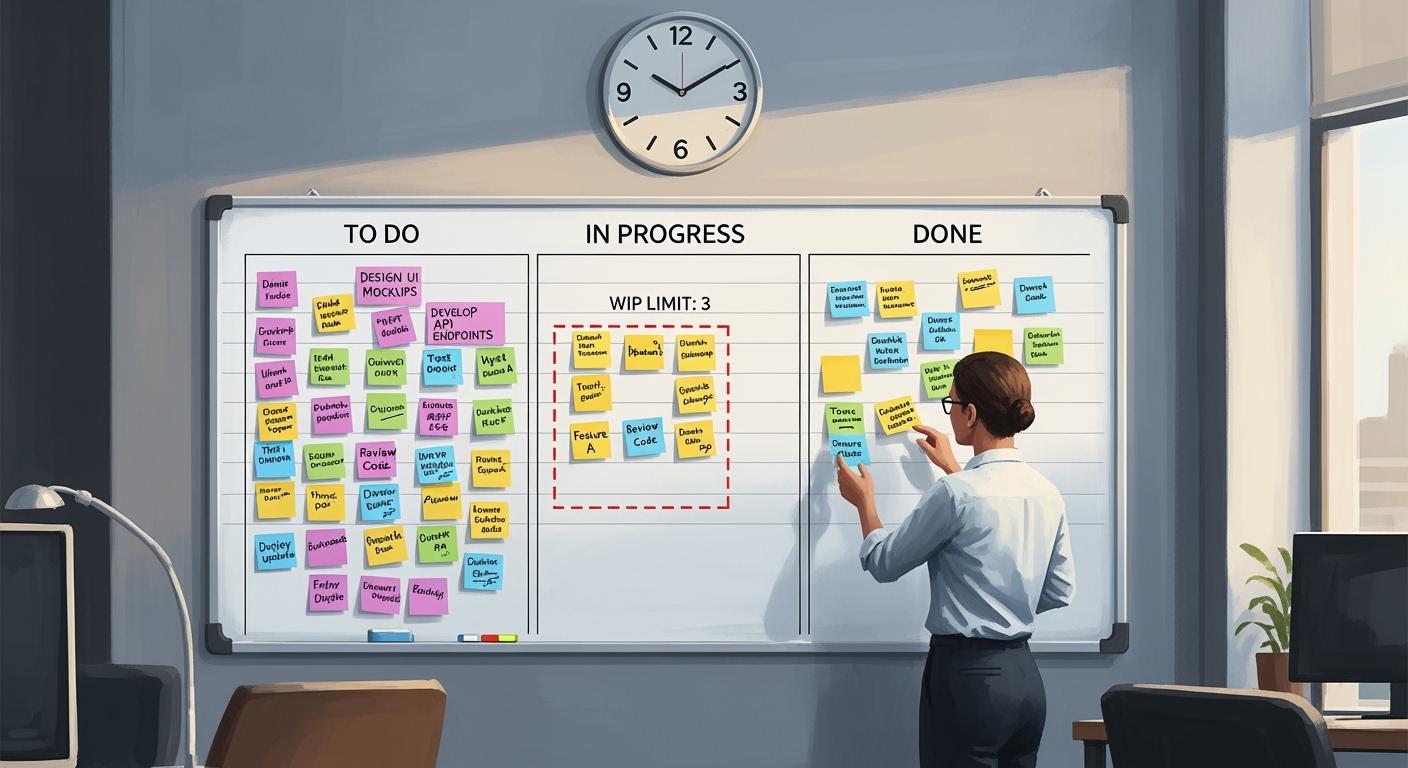
Kanban WIP limits are the highest number of tasks your team can work on at one time. These limits are very important for managing tasks well. By limiting the work in progress, you can lower stress and avoid too much work. This method helps improve quality and speeds up delivery. Also, WIP limits help teamwork by showing progress on the Kanban board. You will see that managing WIP keeps everyone focused and helps make steady progress. This leads to finishing tasks efficiently.
Key Takeaways
WIP limits help manage tasks well by limiting how many tasks are being worked on. This leads to better productivity.
Setting WIP limits encourages teamwork and communication. Team members can easily see progress and ask for help.
Regularly check and change WIP limits based on team feedback and performance data to keep things running smoothly.
Using WIP limits reduces delays, allowing tasks to move easily and be finished faster.
WIP limits create a balanced workload. This improves quality and lowers stress for team members.
Kanban WIP Limits Defined
Key Concepts of Kanban
WIP limits, which means work in progress limits, are very important in Kanban. They show the most tasks your team can work on at one time. By setting these limits, you stop the system from getting too busy. This helps tasks get done well. Each part of your workflow has a set maximum task limit. This limit keeps the number of tasks manageable.
On a Kanban board, you can see WIP limits in different ways:
You can set a maximum number of tasks for each column.
Each part of the workflow has a clear task limit shown on the board.
These limits help you finish tasks before starting new ones.
By limiting the number of tasks in different workflow parts, you can boost your team's productivity. When you limit WIP, you encourage team members to finish their tasks first. This method cuts down on multitasking and helps keep quality high.
Importance of WIP Limits in Kanban
Reducing Bottlenecks
WIP limits are very important for making work flow better. When you set these limits, you can stop bottlenecks that slow down your team. If too many tasks stack up in one spot, it causes problems, like traffic jams on a busy street. WIP limits help you control this flow well. They make sure your team finishes tasks instead of starting new ones.
Studies show that WIP limits improve how much work gets done by lowering the number of tasks being worked on. This idea matches Little’s Law. It says that to make cycle time better, you can either do fewer tasks at once or finish tasks faster. Cutting down on WIP is usually easier. When you limit tasks, you push your team to complete their work before taking on new ones. This helps them finish tasks quicker.
Also, WIP limits help keep a steady workflow. They set maximum task numbers at each step of your process. This stops too many tasks from piling up and encourages finishing work. Because of this, your team can focus on doing quality work without feeling stressed.
To show how WIP limits work, look at this case study:
Aspect | Details |
|---|---|
Data Visibility | Made a dashboard for a clear WIP view, finding problem areas and allowing accountability. |
Organizational Problem-Solving | Improved communication, allowed working at the same time, and set batch sizes to cut delays. |
Technical Improvements | Made key processes better, increasing batch size by 25% and improving work output. |
Results | 27% drop in overall WIP, with department cuts up to 70%. |
Long-term Impact | Lasting improvements with ongoing WIP tracking and a shift towards always getting better. |
By using WIP limits, you can greatly cut project delays and boost your team's performance.
Benefits of Setting WIP Limits
Promoting Team Focus
Setting WIP limits has many good effects on your team. First, it helps teamwork. When you limit how many tasks can be worked on, team members feel safe asking for help. This open talk creates a friendly place to work. Because of this, everyone can share what they know and solve problems together. This teamwork not only makes the work better but also makes the whole process easier.
WIP limits also help keep focus. When you limit tasks, your team can focus on finishing what they started. This focus cuts down on switching between tasks, which often causes mistakes. By finishing tasks one at a time, your team can work better. This way leads to better quality results.
To show how WIP limits help, look at these metrics:
Evidence Type | Description |
|---|---|
Quantitative Metrics | Numbers like cycle time, lead time, and throughput give clear insights into workflow changes after WIP limits are set. |
Qualitative Feedback | Team members' thoughts during meetings show how WIP limits affect teamwork, communication, and stress levels. |
By using WIP limits, you can see clear improvements in your team's focus and teamwork. These limits help your team handle their work better, leading to faster cycle times and better product quality.
Setting Effective WIP Limits in Kanban
Monitoring and Adjusting Limits
To set good WIP limits, you must look closely at your workflows. Follow these steps to find the right limits for your team:
Analyze Current Workflows: Watch how tasks move on your Kanban board. Look for any bottlenecks or delays.
Engage Your Team: Talk to team members about their workload. Their ideas can help you set realistic limits.
Set Initial Limits: Start with a practical view of your team's capacity. A common way is to limit WIP to the number of team members. For example, if you have five team members, start with five tasks in progress.
Monitor Key Metrics: Keep track of important metrics like lead time, cycle time, and throughput. These metrics will show you how your WIP limits affect work.
Lead Time: Measures the total time for a task from start to finish.
Cycle Time: Tracks how long a task takes to move through the process once work begins.
Throughput: Shows the number of tasks finished in a certain time.
Adjust as Needed: Regularly check your WIP limits. If your team finishes tasks quickly, think about raising the limits. If delays happen, it might be time to lower them.
Here are some common problems teams face when setting initial WIP limits, along with solutions:
Challenges | Solutions |
|---|---|
Resistance from team members | Provide training |
Misunderstandings about the purpose of WIP | Involve the team in decision-making |
Difficulty in finding the right balance | Regularly review and adjust the limits |
By following these steps, you can build a system that works for your team. Remember, the goal is to keep efficiency while ensuring quality work.
In short, Kanban WIP limits are very important for making work better. They stop bottlenecks and help you finish tasks before starting new ones. Here are some main points:
WIP limits make task management and productivity better.
They help team members talk and work together by showing progress.
Setting clear limits lowers the chance of overworking team members.
Using WIP limits can create a more balanced workload and better quality. Start using these ideas today to see good changes in your team's performance! 🚀
FAQ
What are the main benefits of WIP limits?
WIP limits help you manage tasks better. They cut down on bottlenecks, improve focus, and boost teamwork. By limiting work in progress, you make sure tasks are done well and quickly.
How do I know if my WIP limits are effective?
Watch key metrics like cycle time and throughput. If these numbers get better, your WIP limits are probably working. Check and change limits often based on team feedback and how well they perform.
Can WIP limits be applied to any team?
Yes, WIP limits can help any team, no matter the size or industry. They make workflows smoother and improve efficiency, so they work well in many different work settings.
How often should I adjust WIP limits?
You should change WIP limits regularly based on how your team is doing and any changes in workload. Check limits at least once a month or after big project changes to keep them effective.
What should I do if my team resists WIP limits?
Talk to your team about the benefits of WIP limits. Offer training and support to help them see how these limits can improve workflow and lower stress.
See Also
Calculating Work In Progress Using Cumulative Flow Diagrams
Key Principles of Kanban for Effective Implementation Strategies
Determining Optimal Kanban Bin Sizes for Inventory Control
A Comprehensive Guide to Maximizing Productivity with Kanban
